Blog · By The Packaging Vista Team · June 20, 2026
QR Codes on Packaging: Connecting Your Box to Content
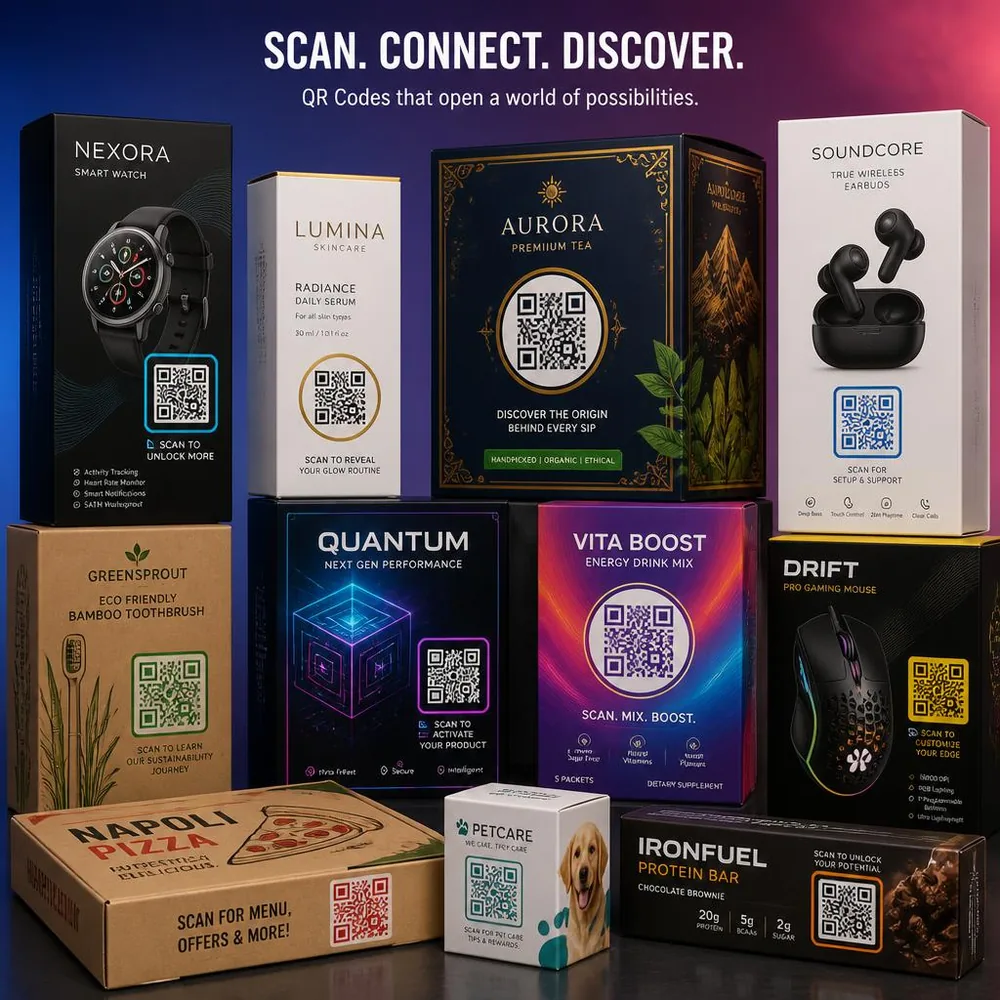
A QR code turns a static box into a doorway to content. In 2026, it is one of the most useful, low-cost upgrades you can print. A QR code on the box links the printed and digital sides of your brand. A single scan can take a buyer to videos, lab results, reorders, and loyalty pages.
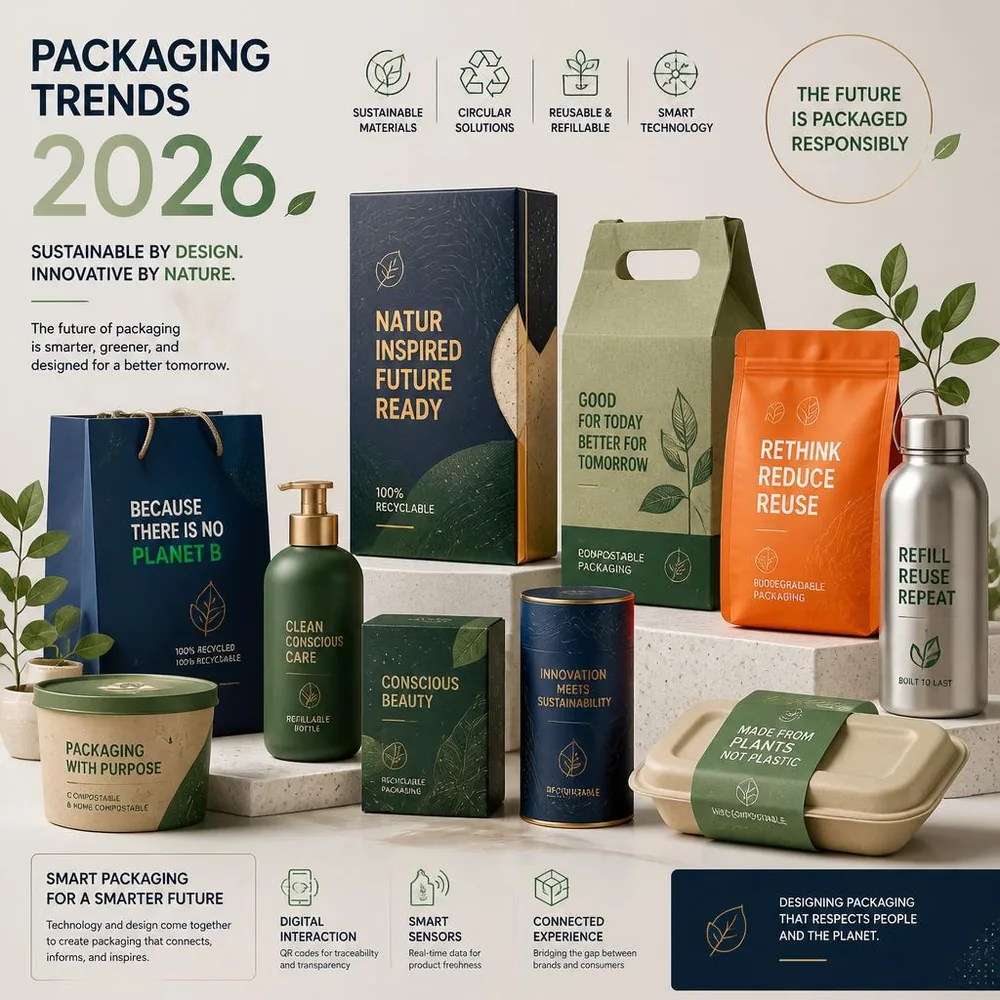
This is the heart of connected packaging and smart packaging. And it costs almost nothing to add. The code prints in the same pass as the rest of your art, which is why it lands so well on e-commerce packaging where the buyer already has a phone in hand at unboxing. This post goes deeper on interactive packaging than our packaging trends guide.
What should you link a QR code to?
- How-to and brand videos — show the product in use.
- Lab results (COA) — a must for CBD. See CBD label requirements.
- Reorder and loyalty pages — turn the box into a repeat-buy prompt.
- Authenticity checks — help buyers spot a real product.
Why does connected packaging work?
A box has limited surface. But a QR code gives you an almost endless space behind it. Instead of cramming use tips, ingredient notes, sourcing stories, and offers onto packed panels, you keep the printed art clean. You move the depth online.
That keeps the box looking sleek. But it still answers every question a curious buyer might have. For regulated types like CBD and supplements, linking to a lab report or full docs also signals openness. That builds trust right when a shopper is deciding to buy or reorder.
Should you use a dynamic code you can update?
One of the biggest wins of a QR code on packaging is that the target can change even after the box is printed. But only if you use a dynamic, redirect-based code.
A dynamic code points to a short URL you control. You can re-point it later to a new video, a current offer, or an updated lab result without reprinting a single carton. A static code bakes the URL right into the pattern. It can never change. For anything you might update — campaigns, seasonal content, or docs that get revised — a dynamic code is the safer pick.
It also guards against dead links down the road.
Where should you place the code?
Put the code on a side or back panel. It should be easy to scan and not fight with your logo. Keep clear space around it. Avoid putting it over a fold or a busy pattern.
A fold or seam can warp the code just enough to break a scan. A patterned back reduces the contrast that scanners rely on. Give the code a quiet, flat zone of its own. Pair it with a short prompt that tells the buyer what they will get — something like “Scan to watch” or “Scan for lab results.” That way the value of scanning is clear.
How do you keep the code legible?
Print the code big enough to scan with ease. Use good contrast (dark code on a light back). Our design team checks the code in the layout before we print. See our artwork and dieline guide.
As a rule, the smaller and denser the code, the harder it is for a phone camera to read. That is worse on a shiny or laminated finish. A dark code on a light field scans far better than the reverse. Also leave a clear margin around the pattern (the “quiet zone”) so nearby art does not block the scan.
| Factor | Recommendation |
|---|---|
| Minimum printed size | 20 x 20 mm (0.8 x 0.8 in) |
| Contrast | Dark code on light background |
| Quiet zone (border) | At least 4 modules on all sides |
| Placement | Side or back panel, away from folds |
| Finish over code | Matte or uncoated (avoid gloss/foil) |
| Code type | Dynamic (redirect-based) for updatable links |
| Prompt | Short call-to-action ("Scan to watch") |
Should you add a prompt and test before printing?
A code with no context gets ignored. A code with a one-line prompt gets scanned. Pair every QR code with a short call to action. That way, buyers know why it is worth pulling out their phone.
Just as vital: test the printed code, not just the on-screen version, before the full run. Print a sample. Scan it on a couple of phones in normal light. Confirm it lands on the right page. Our minimum is 100 boxes with no die or plate fees. So ordering a small batch to check the scan and the linked page is cheap and easy.
How do finishes affect the QR code?
Premium finishes can hurt scanning. So plan for them. A heavy gloss or a metal foil under or over a code can give off glare that stumps a camera.
If your box uses a shiny laminate, put the code in a matte or spot-treated area. Or keep that panel uncoated. That keeps the scan steady. Our design team flags these conflicts at the proof stage. That is one more reason to review a real sample before you sign off on the run.
How do you measure what your code does?
One of the under-rated wins of a QR code on packaging is that it makes a printed box measurable. With a dynamic, redirect-based code, you can see how many scans you get, roughly when, and from where. That turns the box into a feedback channel you never had before.
The data tells you if buyers watch your how-to video, if the reorder link drives repeat buys, and which products spark the most curiosity. Over time it helps you decide what content to make and where to place the code for the best response.
None of this needs a reprint. You are learning from the boxes already in buyers’ hands. That is a real edge for a small brand trying to know its buyers.
What are good uses by product type?
What you link to should match what your buyer cares about. Food and drink brands often link to recipes, sourcing stories, or green details. Beauty and cosmetics brands link to how-tos and shade or routine guides. Supplement brands link to dose tips and clear ingredient notes.
CBD and regulated goods link to a lab report, which also acts as a trust and rules signal. Subscription and direct-to-buyer brands link to onboarding, community, or loyalty sign-up to build the tie after the first order.
Ask “what does this buyer want to know next?” That framing keeps the code truly useful, not a gimmick. It also gives the printed prompt a clear reason to scan.
Frequently asked questions
Does adding a QR code cost extra?
Not as a separate charge – the code prints in the same pass as your artwork. Pricing is quote-based and there are no die or plate fees, so adding a code does not add tooling costs.
Should I use a static or dynamic QR code?
Use a dynamic, redirect-based code if you might ever change the destination – for campaigns, updated lab results, or seasonal content. A static code is fine only for a URL that will never change.
Where is the best place to put a QR code on a box?
On a side or back panel with clear space around it, away from folds and busy patterns, paired with a short prompt telling customers what they will get by scanning.
Can a glossy or foil finish stop the code from scanning?
It can cause glare. We recommend keeping the code in a matte or uncoated area and testing a printed sample on a real phone before the full run.
What is the smallest QR code that still scans reliably from a box?
About 20 x 20 mm (roughly 0.8 x 0.8 inches) is the safe floor for a shelf-distance scan. Larger is better on textured or foil-heavy stock. Always add a quiet zone – a clear border of at least four modules – around the code.
Do I need a URL shortener with my QR code?
Not strictly, but a shortener or a redirect makes the code far easier to change later. It also gives you clean scan analytics. Long, ugly URLs make the code denser, harder to scan, and impossible to update.
Can I track how many people scan my packaging QR?
Yes, if you route through a redirect service or a UTM-tagged URL. You get scan count, rough location, device type, and referrer. Static codes pointed at a plain URL give you nothing unless you dig through that URL’s server logs.
How much data can a QR code hold?
A standard QR code holds up to 4,296 alphanumeric characters. For packaging, keep the payload short – a shortened URL is best. A denser code needs a bigger print size and a cleaner surface to scan.
What if my QR link breaks after boxes have shipped?
A dynamic code stays fixable: log in, point the redirect at a new URL, done. A static code hard-codes the URL into the pattern – if that page 404s, the boxes on shelves lead to a dead end. Always use dynamic for anything you might change.
How do I choose what to link my packaging QR code to?
Ask what the buyer wants to know next after they hold the product. Food and drink: recipes and sourcing. Beauty: how-tos and shade or routine guides. Supplements: dose tips and ingredient details. CBD: the certificate of analysis (COA). Subscription and DTC: onboarding, community, or loyalty sign-up.
Match the destination to buyer intent, not to what is easiest to build. A generic link to the homepage almost always underperforms a targeted one.
What are the benefits of adding a QR code to packaging?
Extends limited box surface into unlimited digital content without crowding the print. Builds trust through transparency (COA for CBD, sourcing for food, ingredient depth for supplements). Drives repeat purchase through reorder and loyalty links. Makes the box measurable via scan analytics – you learn what buyers actually care about.
And with a dynamic code, you can change the destination after boxes ship, so campaigns and seasonal content stay fresh without a reprint.
What is the difference between a static and a dynamic QR code?
A static code hard-codes the destination URL into the pattern itself – once printed, it can never change and gives zero scan analytics. A dynamic code prints a short redirect URL that you can re-point at any destination through a dashboard, so campaigns, updated lab results, and seasonal offers all work on the same printed box.
Dynamic also gives you scan counts, rough location, device type, and referrer. Use dynamic for anything you might update.
Which QR code type is best for CBD packaging?
A dynamic code linking to the current certificate of analysis (COA) for that batch, ideally routed through a URL shortener you control. This lets you update the COA per batch without a reprint, satisfies state and retailer trust requirements, and gives you scan analytics on how many buyers verify.
Pair with a short prompt like “Scan for lab results” on a clear panel – not over foil or a busy pattern.
Is adding a QR code worth it for a small brand?
Yes – it is one of the highest-ROI additions to a printed box. The code prints in the same pass as the rest of your art, so there is no extra tooling cost at our 100-box minimum. It extends limited surface into unlimited content, builds trust in regulated categories, drives repeat orders, and gives you real analytics on how buyers engage.
Skip it only if the linked destination is genuinely low-value or your buyer segment does not scan.
Related reading from OLX Packaging: how packaging influences buying decisions.
Want a connected box? Tell us what you want to link to, and we will place a scannable code in your design with a free dieline. Start with our trends guide, then request your free quote or contact our team.